
Columbus Dispatch: Local News
USA TODAY Co.News & Magazines
2.5429.00 Reviews
- Version
- 8.10.3
- Installs
- 50.00K
- Age Rating
- Everyone
Screenshots

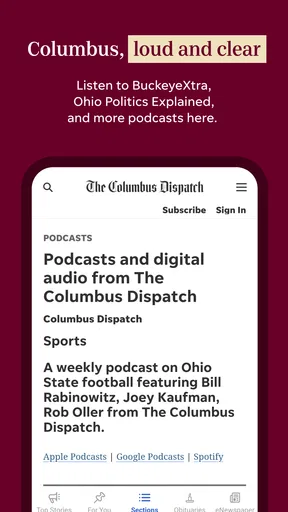
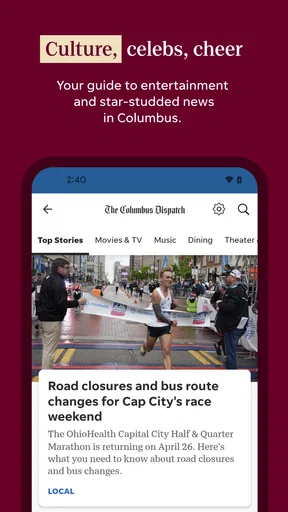
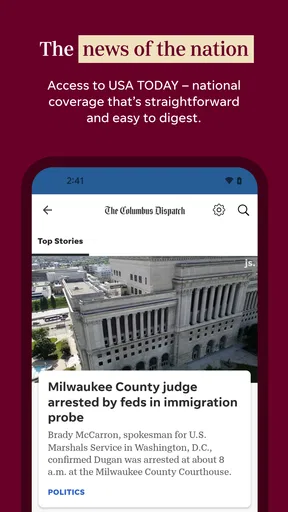
Our Review of Columbus Dispatch: Local News
 Analysis by Appyee
Finding an app that brings your local community right to your fingertips is like striking gold in the digital age. With Columbus Dispatch: Local News, you get exactly that—a treasure trove of local news, events, and updates that keep you connected to everything happening in your area. Trust me, if you're from Columbus or just have a keen interest in the region, this app is a must-have.
Who will get the most from a Columbus-focused news app?
I’d consider this app most useful if Columbus is part of your everyday life, whether you live there, work there, study there, or have family and friends in the area. A national news app can explain the wider story, but it may not give local decisions, neighborhood concerns, and community events the same attention. A dedicated local source gives those subjects a more natural place in your daily reading.
It can also help newcomers build a sense of the city beyond a map and a list of places to visit. Reading local coverage over time gives context to the issues people are discussing, while event information can help turn that interest into plans. If you only want broad national headlines, though, a general news app will probably be a better fit; this publication’s strongest reason to be on your phone is its connection to Columbus.
A practical way to fit it into the day
Picture checking the headlines over breakfast before deciding whether to read a longer story later. You could focus your attention on the local subjects that matter to you, then return when you have time for an article with photography or video. In the evening, the events coverage can serve a different purpose: instead of catching up on the news, you can look for something happening around town.
That split between a quick scan and a more deliberate read is a useful way to approach a local news app. I wouldn’t treat a headline glance as a complete picture of a developing issue. When a story affects a decision—such as whether to attend a public meeting or how to understand a local change—I’d open the full article and look for its context, rather than relying on a notification or a brief summary alone.
How it differs from general news alternatives
Compared with a national aggregator, a local publication has a narrower geographic lens, which is a strength when you want Columbus reporting and a limitation when you want a broad mix of perspectives from across the country. An aggregator can collect many outlets in one place, but that convenience may leave local coverage competing with unrelated stories. This app makes more sense when local relevance is the priority, not when you want one feed to cover every subject and region.
It also sits between a newspaper website and a social feed. The publication gives articles a central place, while reader discussion can add a sense of what other users are saying. I’d treat comments as conversation rather than as a substitute for reporting: they can surface reactions and questions, but the article itself is the better starting point for understanding what has been reported.
Small habits that make local coverage more useful
Topic selection is most helpful when it reflects what you actually want to follow, rather than every passing interest. I’d start with a few subjects that affect daily life, then adjust the mix after seeing what appears in the feed. That keeps the app useful without turning a local news check into another endless scroll. If a topic stops being relevant, removing it is a simple way to make room for something more useful.
For an ongoing issue, following a topic can help you return to related coverage instead of trying to remember which headline to search for. It is especially practical for local sports or a continuing civic story, where separate articles may cover different stages of the same subject. The trade-off is that a topic feed still requires judgment: related updates are not necessarily a complete timeline, so I’d read each article for what it adds rather than assume every follow-up tells the whole story.
Notifications are best treated as a prompt to check the app, not as the whole news experience. If you want fewer interruptions, keeping alerts limited to what you consider important is more sustainable than allowing every update to compete for attention. When something does catch your eye, opening the story gives you more substance than reading only the alert on a lock screen.
What the version tells existing readers
The app is currently at version 8.7.1, and its release history begins on March 20, 2014. That gives it a long-running presence as a mobile outlet, but a version number alone does not tell me which individual features changed or how the interface has evolved. I would separate that confirmed product timeline from any expectation that a particular screen or tool has recently been redesigned.
For someone who already reads the publication, the practical question is whether the current app makes the familiar routine easier: opening local headlines, returning to subjects of interest, and choosing when to read longer pieces. A continuing version history can matter because an app is not frozen at its first release, yet I’d judge the present experience by how well those everyday tasks work on my own device rather than by the version number itself.
New readers should also know the basic commitment before installing. This is a free news app from USA TODAY Co., rated for Everyone, with in-app purchases listed from $19.99 to $69.99 per item. The purchase range is worth keeping in mind if you are deciding how you want to access content; I’d check the terms shown in the app before committing to any purchase, rather than assuming every article or feature follows the same access arrangement.
Getting Started with Columbus Dispatch: Local News
The first thing I noticed when I downloaded Columbus Dispatch: Local News was its sleek and user-friendly interface. Navigating through the app is as smooth as a summer breeze. As soon as you open it, you’re greeted with the latest headlines that are just a tap away, making it super easy to catch up on what's happening.
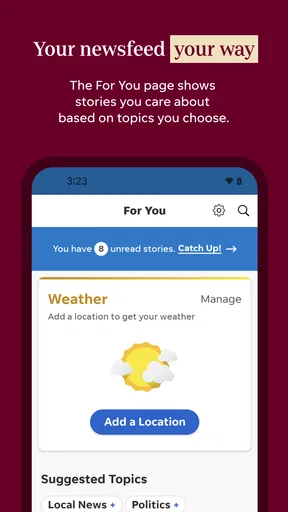
Setting up the app is a piece of cake. You can personalize your news feed by selecting topics that interest you the most—be it local politics, sports, or community events. This level of customization ensures that you’re not bombarded with news you couldn't care less about. Plus, the notifications are timely and never overwhelming, which keeps you informed without feeling spammed.
Features that Stand Out
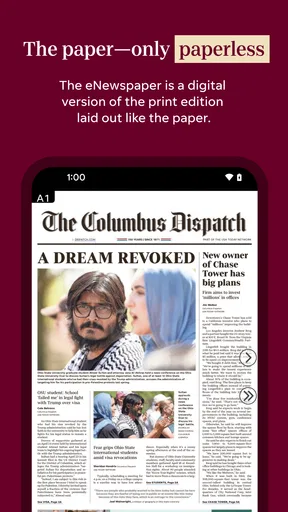
One of the standout features of Columbus Dispatch is its comprehensive news coverage. The app covers everything from breaking news to in-depth investigative reports. You can dive deep into stories with detailed articles that include videos, galleries, and even interactive elements. It's like having a digital newspaper that's constantly updated.
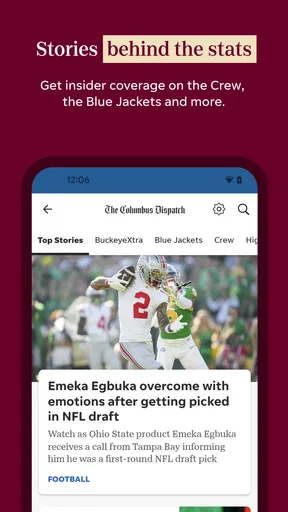
The app also offers a nifty feature called "My Topics," where you can follow specific stories or events. This is particularly handy if you want to stay on top of ongoing developments. For sports enthusiasts, the app provides real-time scores and updates for local teams. It's perfect for those who want to keep tabs on their favorite teams without missing a beat.
Community Connection
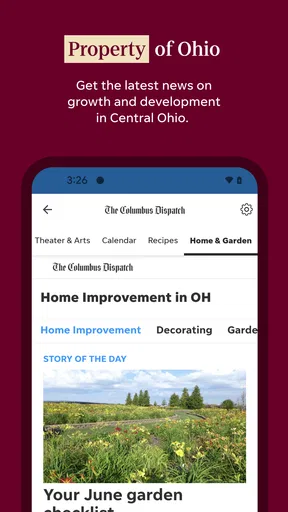
What truly sets Columbus Dispatch: Local News apart is its focus on community engagement. There's a section dedicated to local events, so you're always in the loop about what's happening around town. Whether it's a community festival or a town hall meeting, this app ensures you're never out of touch with your community.
The app also encourages user interaction. You can comment on articles and engage in discussions with other users, fostering a sense of community among readers. It's refreshing to see a news app that values reader input and creates a space for dialogue.
Performance and Usability
From a technical standpoint, the app performs flawlessly. I experienced zero lag or crashes, even when scrolling through image-heavy articles. The developers have clearly prioritized a smooth user experience, which is crucial for an app that's meant to be used daily.
One small hiccup I noticed is the occasional ad, but they’re non-intrusive and don’t disrupt the overall experience. Considering the wealth of content and features available for free, it’s a small price to pay.
Final Thoughts
All in all, Columbus Dispatch: Local News is a fantastic app for anyone looking to stay informed about local happenings in Columbus. It offers a perfect blend of reliability, ease of use, and depth of content. Whether you’re a news junkie or just someone who likes to stay in the know, this app is sure to become a staple on your device.
If you’re ready to dive into the world of Columbus news, head over to your app store and give Columbus Dispatch: Local News a try. It's like having your very own digital newsstand, and trust me—you won't regret it!
Who may prefer another option?
Although I see the appeal for people who want a Columbus-centered reading habit, I would not make this my only news source if my interests were mostly national or international. A broader outlet is better for comparing coverage across regions, while a local publication is more useful for staying close to what is happening in one community. The right choice depends on what you want your first daily headlines to answer.
The app is also a less natural fit if you rarely read local stories or prefer audio-first news. Its value comes from opening articles, following topics, and spending time with the reporting and visual material. If you mainly want a quick, hands-free briefing, another format may suit your routine better. I’d try it during a normal week and see whether the local coverage earns a regular place in your day.
What to keep in mind as you use it
The app has an average rating of 2.5 from 774 ratings, with 425 written reviews, and more than 50,000 installs. I would take that reception as a reason to test the experience for myself rather than as a verdict on whether local coverage will be useful to me. App performance and reader expectations can differ, and the most relevant test is whether the current version works smoothly on your device and offers the Columbus reporting you came for.
My overall view is that this is a focused choice, not a universal newsstand. Its best case is a reader who wants local reporting, community information, and a way to keep track of selected subjects in one place. Its weaker case is someone seeking a broad, highly customized mix of publishers or a guaranteed alternative to every other news source. I’d start with a small set of topics, use alerts selectively, and decide after a few days whether the coverage is genuinely helping me stay connected.
Verdict
Strengths of Columbus Dispatch: Local News
- User-friendly interface for easy navigation.
- Real-time updates keep you informed instantly.
- Customizable notifications for important news.
- High-quality journalism with in-depth analysis.
- Offline reading mode for convenience.
Limitations of Columbus Dispatch: Local News
- Limited free articles without subscription.
- Some ads may disrupt the reading experience.
- Occasional loading delays on older devices.
- Requires stable internet for live updates.
- No dark mode for nighttime reading.
Other Releases by USA TODAY Co.
View All
IndyStar: Indianapolis Star
News & Magazines2.7

AZ Central: Arizona Republic
News & Magazines2.5

The Detroit News: Local News
News & Magazines3.1

Detroit Free Press: Freep
News & Magazines3.0
Similar Picks in This Category
View All
Google News - Daily Headlines
Google LLC4.0

X
X Corp.4.8

Flipboard:Your Social Magazine
Flipboard3.4

Opera News: breaking & local
Opera4.5

Hindi News by Dainik Bhaskar
Dainik Bhaskar Group4.0

Way2News Daily News App
Way2News ( Formerly Way2SMS )4.6
Frequently Asked Questions
What types of news content does the Columbus Dispatch app provide?
The Columbus Dispatch app offers a comprehensive range of local news content. Users can access breaking news, in-depth investigative journalism, sports updates, entertainment news, and community events. Additionally, the app features sections dedicated to opinion pieces and editorials that help keep readers informed about local and regional issues.
Is the Columbus Dispatch app free to use, or does it require a subscription?
While the app can be downloaded for free, full access to all content typically requires a subscription. Users can browse some articles and news stories without a subscription, but premium content, such as in-depth investigative reports and exclusive features, often requires a paid subscription. Subscription options vary and can include monthly or annual plans.
How often is the content updated on the Columbus Dispatch app?
The Columbus Dispatch app updates its content continuously throughout the day to provide users with the latest news. Breaking news alerts are sent in real-time, ensuring that users are promptly informed about significant events. Regular updates also include new articles, opinion pieces, and multimedia content, such as videos and photo galleries.
Does the Columbus Dispatch app support offline reading?
Yes, the Columbus Dispatch app supports offline reading. Users can save articles and news stories to read later when they might not have internet access. This feature is particularly useful for commuters or those in areas with limited connectivity, allowing them to stay informed without needing a constant internet connection.
What kind of interactive features does the Columbus Dispatch app offer?
The Columbus Dispatch app includes several interactive features to enhance user engagement. Users can customize their news feed by selecting preferred topics, receive personalized notifications, and participate in discussions by commenting on articles. The app also allows sharing of articles via social media or email, fostering community interaction and participation.
